ThreadOS
Windows 0.18.6 supports generating and copying instructions; receiving-client integration and live Ultra execution are untested. The screenshot below is macOS 0.15.1. Windows installation.
Choose your team’s models. Copy one instruction. Paste it into your Leader.
ThreadOS is included in AUV. It lets you set the model and thinking level for four roles separately: Leader, Coder Cluster, Reviewer Cluster and QA.
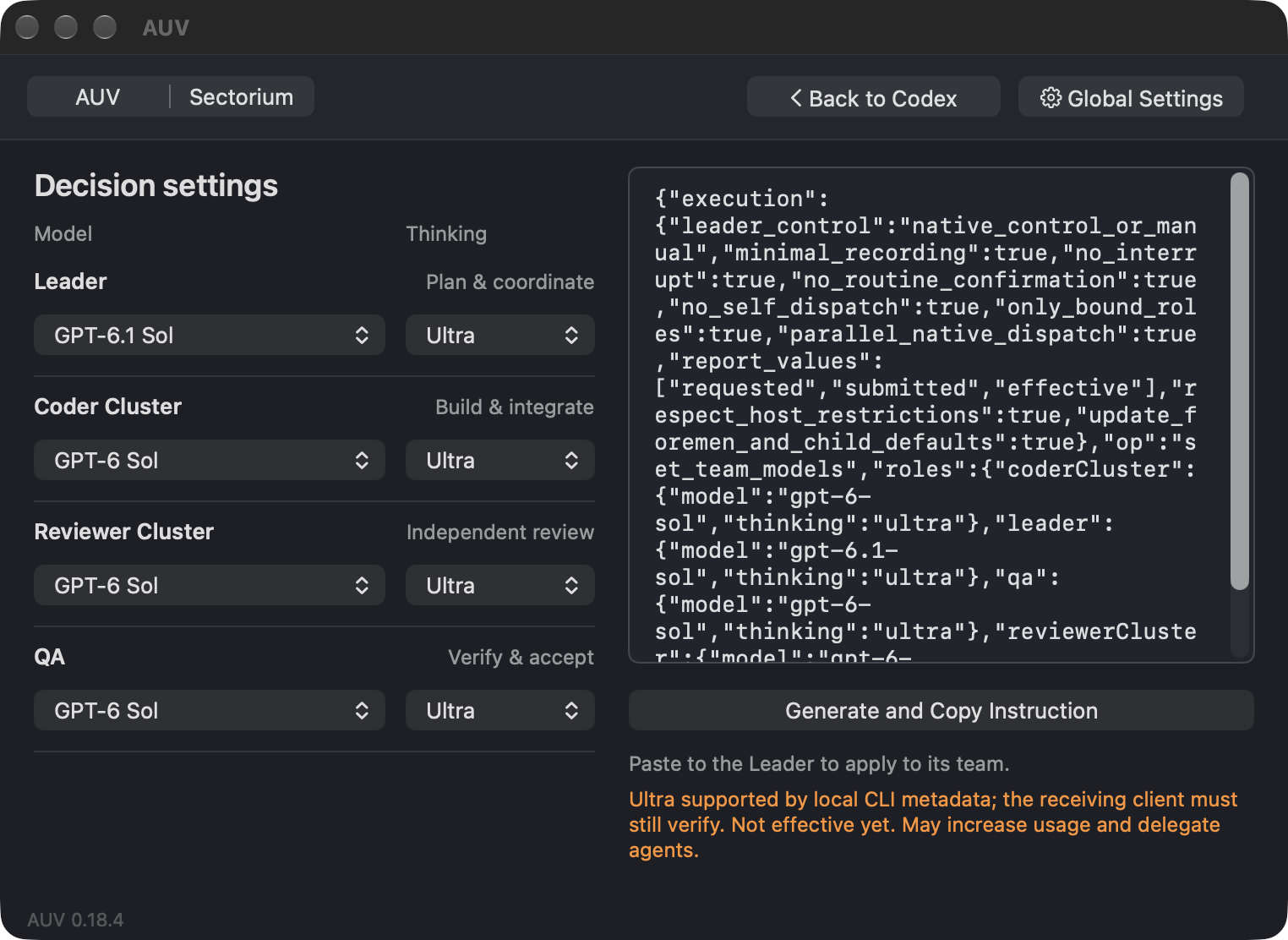
Set up your team
- On Mac, open ThreadOS from Codex’s settings in AUV. On Windows, open it the same way: Codex settings → ThreadOS → Open.
- Choose a model and thinking level for each role.
- Check the instruction preview, then click Generate and Copy.
- Paste the instruction into the Leader conversation for your development folder.
The receiving Leader uses its own team. There is no project or thread to select in AUV. Where supported, cluster choices also set the default for their child workers.
Which thinking level should I choose?
Start with Medium. Low asks for less reasoning; High and Ex High ask for more. A higher level can take longer and use more of your allowance.
Ultra is an additional option for supported models. In this release it is available for GPT-6.1 Sol, GPT-6 Sol, GPT-6 Astra, GPT-5.6 Sol and GPT-5.6 Terra, but not GPT-6 Luna. Your receiving client must support the choice too. If AUV marks a choice as unverified, that support has not been confirmed. Ultra command generation was tested; live Ultra execution was not.
How do I know the change worked?
Read the Leader’s reply: it should distinguish what you requested, what it submitted and what it could verify. Copied means the instruction is on your clipboard, not that a model has changed.
If the client cannot change the Leader’s own future-turn model, use that conversation’s native Model and Thinking controls as directed. AUV does not change global defaults or interrupt a running turn.
Common problems
- Copy failed: your choices are kept. Try copying again.
- A saved choice is no longer supported: choose another value for that role. AUV does not silently replace it.
- The Leader reports an unsupported model or missing control: follow its specific explanation; do not assume the change happened.